> ## Documentation Index
> Fetch the complete documentation index at: https://developers.explorium.ai/llms.txt
> Use this file to discover all available pages before exploring further.
# Integrate with Base44
> Add company & prospect data to any Base44 AI app in under 3 minutes.
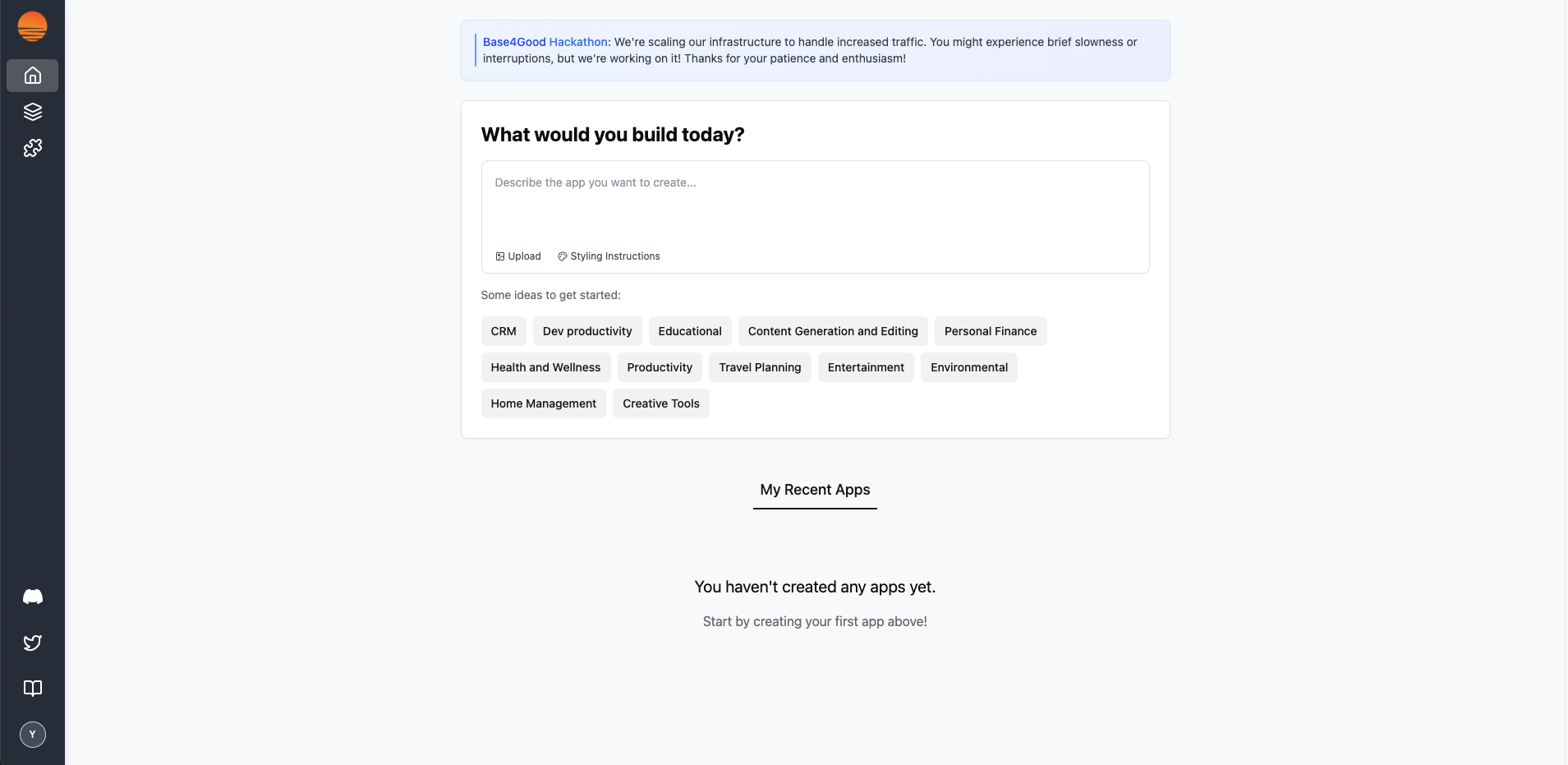
## 1. Open the Base44 Dashboard
Launch [https://www.base44.com](https://www.base44.com/) and sign in.
You'll land on the "What would you build today?" home screen.
 ## 2. Browse to Integrations Catalog
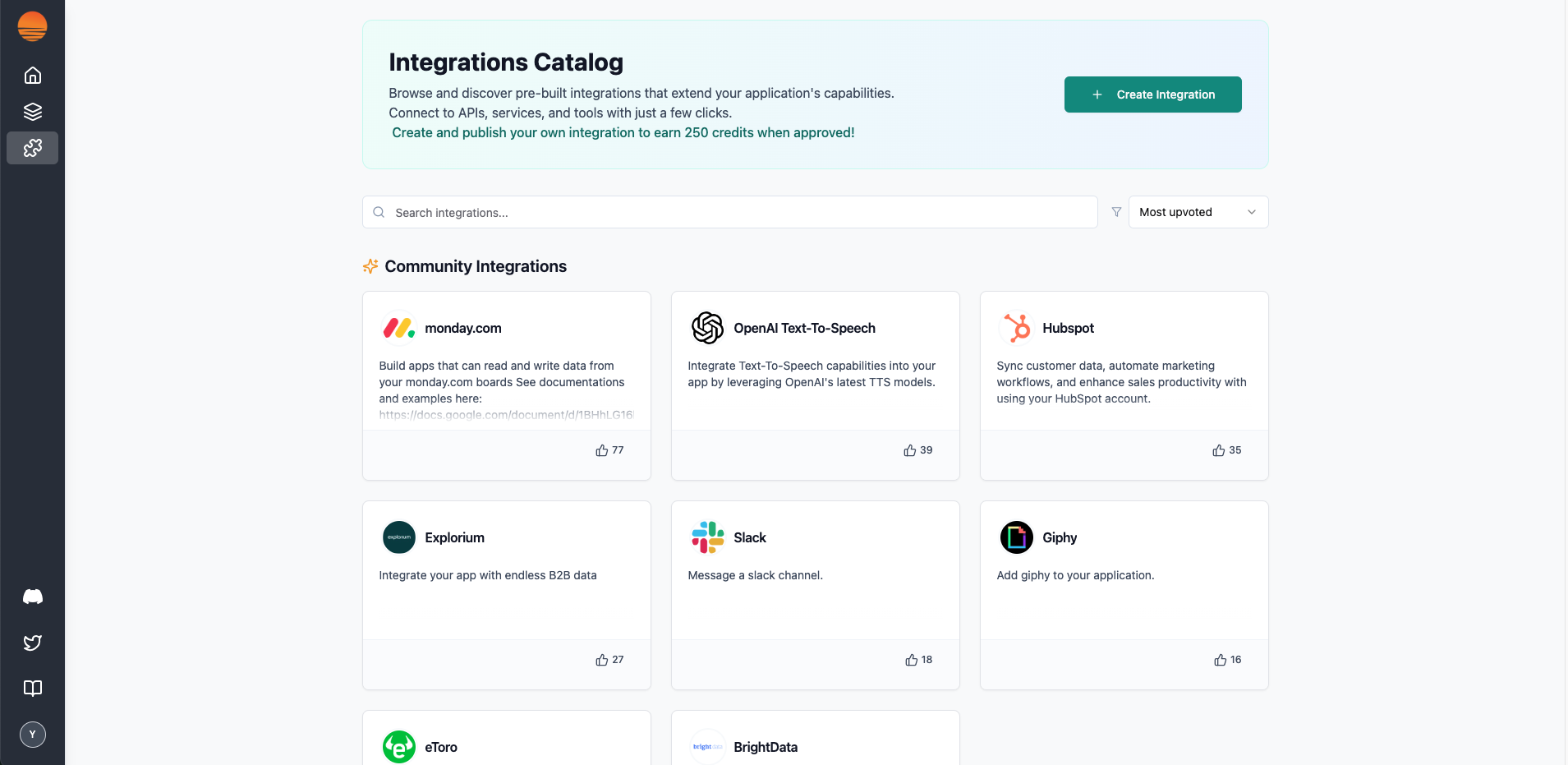
Click the puzzle-piece icon in the left nav to open Integrations.
Locate Explorium in the Community Integrations list (you can use the search box).
**Tip:**
If you don't see Explorium yet, hit Create Integration and paste the link your CSM provided.
## 2. Browse to Integrations Catalog
Click the puzzle-piece icon in the left nav to open Integrations.
Locate Explorium in the Community Integrations list (you can use the search box).
**Tip:**
If you don't see Explorium yet, hit Create Integration and paste the link your CSM provided.
 ## 3. Review the Explorium Card
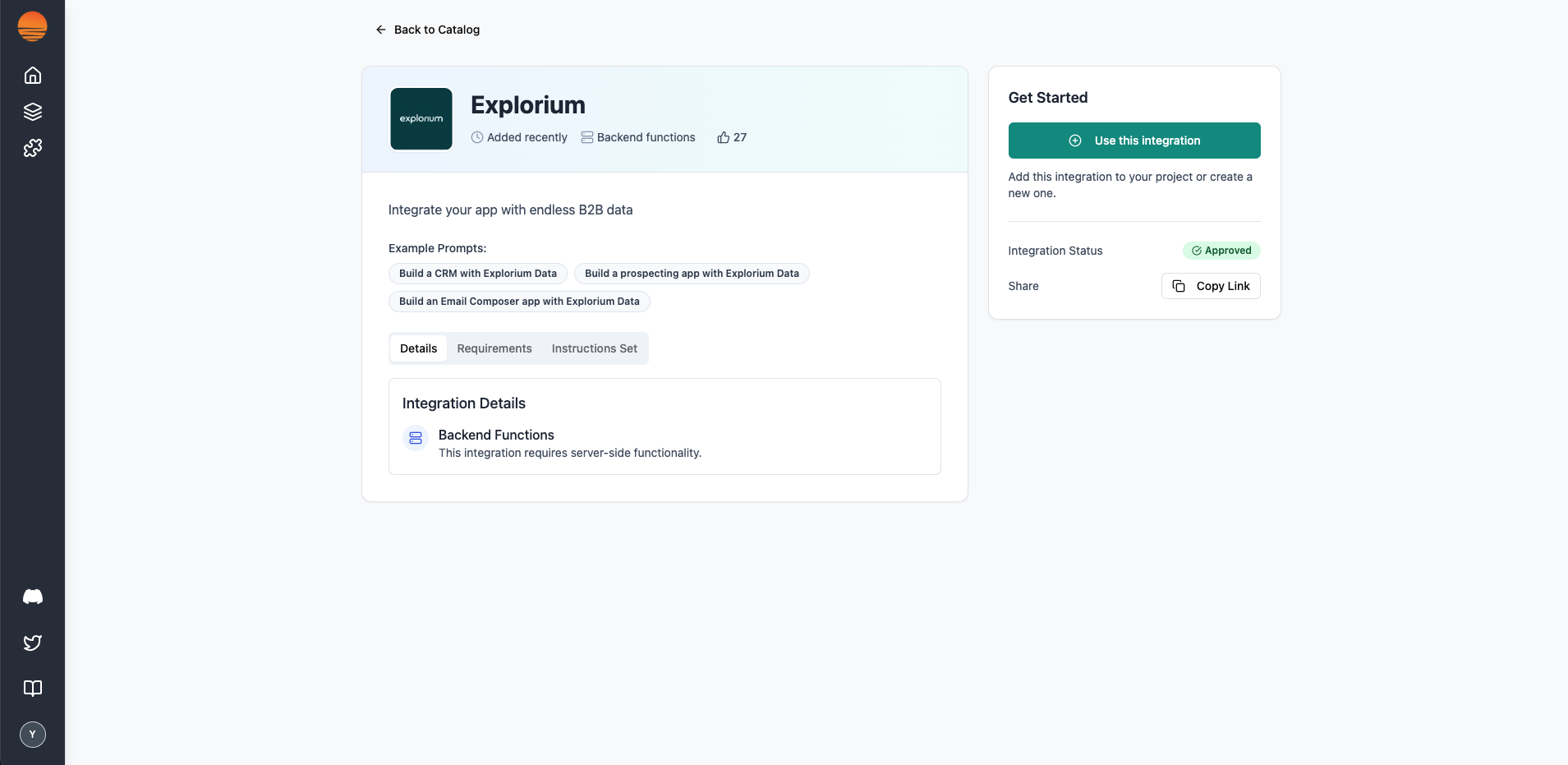
Click Explorium to open the integration detail page.
You'll see example prompts and a status badge of Approved.
Hit Use this integration to drop it into your new (or existing) project.
## 3. Review the Explorium Card
Click Explorium to open the integration detail page.
You'll see example prompts and a status badge of Approved.
Hit Use this integration to drop it into your new (or existing) project.
 ## 4. Provide Your EXPLORIUM\_API\_KEY
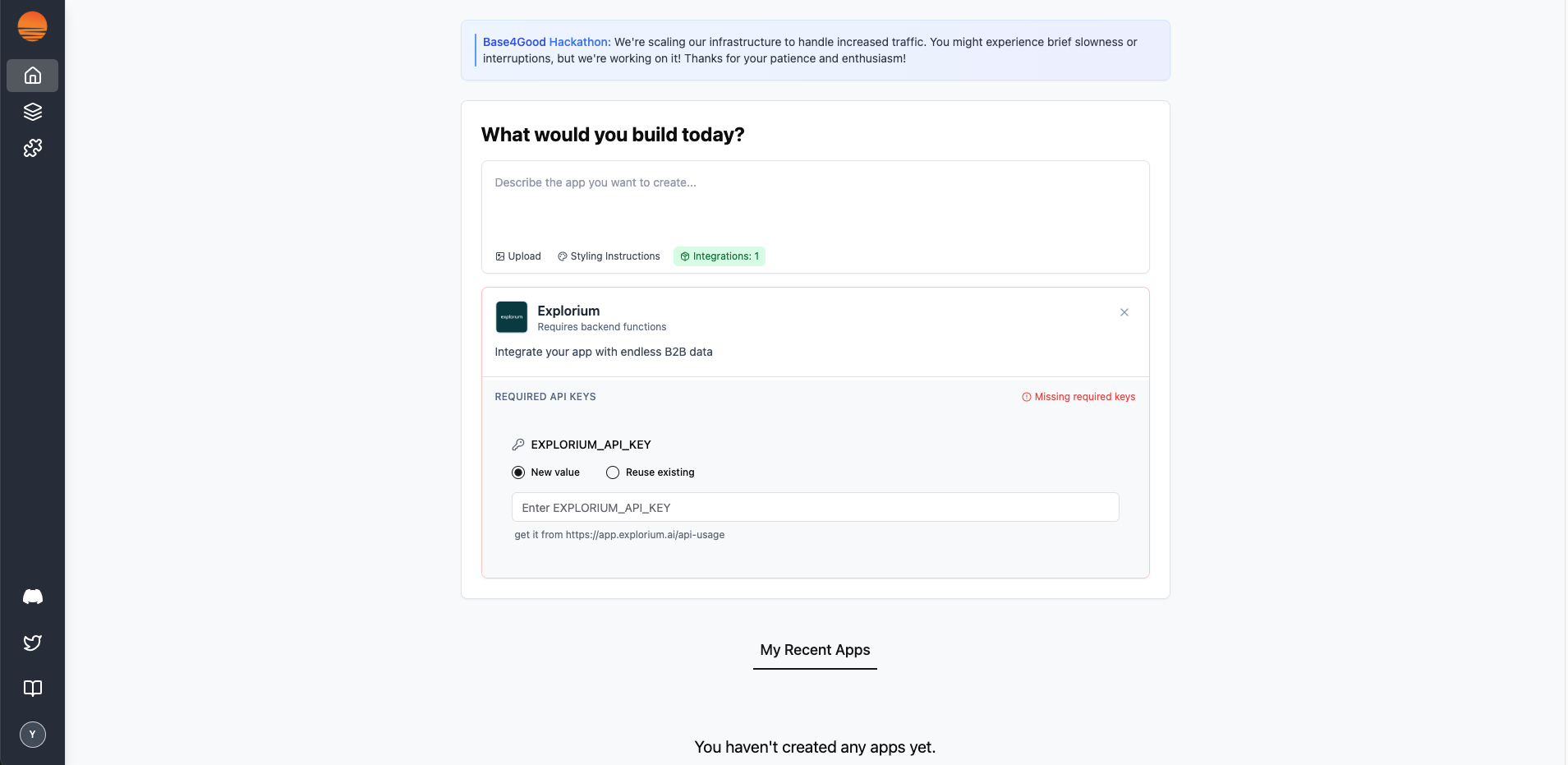
Base44 will prompt for required credentials.
Select New value (or “Reuse existing” if you’ve added it before).
## 4. Provide Your EXPLORIUM\_API\_KEY
Base44 will prompt for required credentials.
Select New value (or “Reuse existing” if you’ve added it before).
Paste your **EXPLORIUM\_API\_KEY**.
You can grab a fresh key anytime from [https://admin.explorium.ai](https://app.explorium.ai/api-usage).
Once adding an api key – the red “**Missing required keys**” warning disappears.
That’s it! The Explorium data functions are now available in your Base44 backend cloud functions.
 ### Have fun building!