> ## Documentation Index
> Fetch the complete documentation index at: https://developers.explorium.ai/llms.txt
> Use this file to discover all available pages before exploring further.
# Credit Plans & Purchases
## Overview
To maximize your access to Explorium's services, you can **purchase additional credits** at any time. Whether you're scaling your API usage or need more data access, buying credits ensures uninterrupted operations.
**Why is this important?**
* Enables seamless expansion of API usage.
* Ensures continuous access to Explorium's data services.
* Provides flexibility to adjust credit consumption as needed.
## How to Purchase Additional Credits
### Step 1: Access the Pricing Page
Log in to the **Explorium Admin Portal** at [admin.explorium.ai](https://admin.explorium.ai/).
Navigate to **Pricing**.
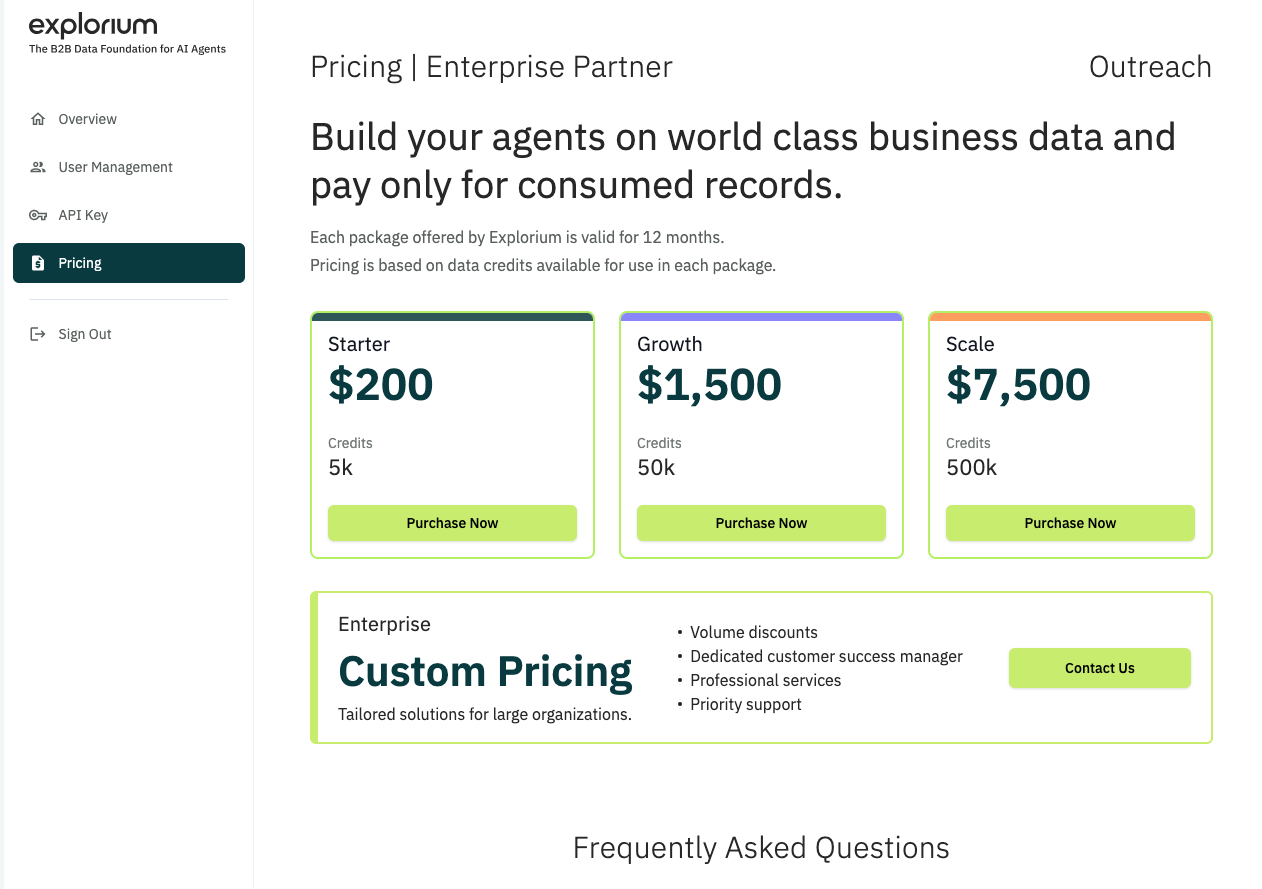
### Step 2: Select a Credit Package
View available **credit bundles** and their respective costs.
Choose the package that fits your needs.
Click **"Purchase Now"**.
 ### Step 3: Complete the Payment
* Enter **billing details** (if required).
* Choose a **payment method** (credit card, invoice, etc.).
* Confirm the purchase.
**Note:**
Purchased credits are added to your account immediately after payment is processed.
## Viewing Your Credit Balance
To check your updated credit balance:
Navigate to **Overview** > **Consumption Report**.
Review the available credits and usage history.
## Need Help?
For assistance with credit purchases or payment issues, contact [support@explorium.ai](mailto:support@explorium.ai).
**Now you're ready to scale your API usage with Explorium!**
### Step 3: Complete the Payment
* Enter **billing details** (if required).
* Choose a **payment method** (credit card, invoice, etc.).
* Confirm the purchase.
**Note:**
Purchased credits are added to your account immediately after payment is processed.
## Viewing Your Credit Balance
To check your updated credit balance:
Navigate to **Overview** > **Consumption Report**.
Review the available credits and usage history.
## Need Help?
For assistance with credit purchases or payment issues, contact [support@explorium.ai](mailto:support@explorium.ai).
**Now you're ready to scale your API usage with Explorium!**