

Cursor IDE
Cursor - The AI-powered code editor with MCP support Cursor’s built-in AI features can leverage AgentSource data for research while coding, making it perfect for developers building data-driven applications.Setup Instructions
1
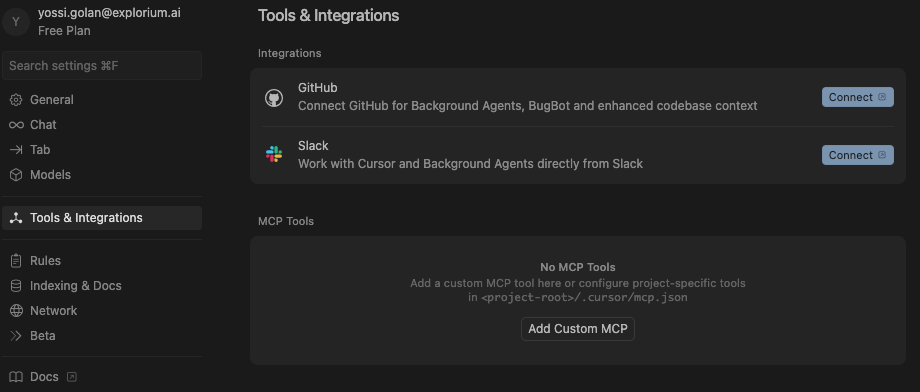
Open Cursor Settings
- Navigate to: Cursor > Settings > Cursor Settings > MCP Tools
- Click the ‘Add Custom MCP’ button
2
Add Explorium MCP configuration
JSON
Using AgentSource v1? The v1 server at
https://mcp.explorium.ai/sse still works but is deprecated and will be retired together with AgentSource v1 — see the deprecation timeline.3
Enable Auto-Run Mode (Optional)
- Location: Cursor > Settings > Chat
- Toggle: “Auto-Run Mode”
- Benefit: Tools execute automatically without confirmation
4
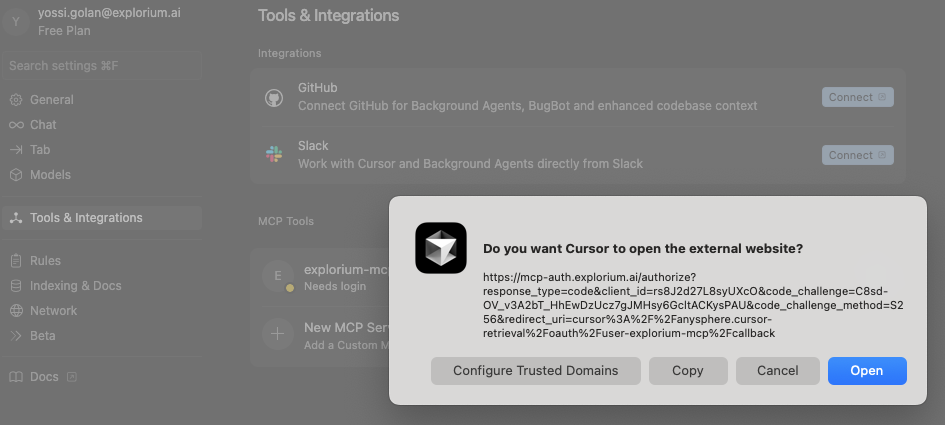
Login
- Click ‘Needs login’ and click ‘Open’ on the dialog box.
5
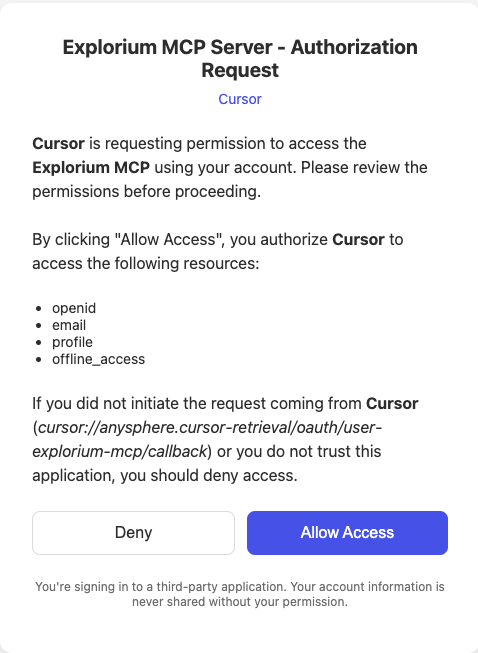
Allow Explorium MCP access for Cursor
- Click the ‘Allow Access’ button.
6
Confirm the server is connected
- Make sure the mcp is turned on and the tools are enabled

7
Test the mcp
- Open chat (Cmd+K or Ctrl+K)
- Ask: “find 5 companies in the fintech industry that use salesforce”
Use Cases in Cursor
- Research companies while building CRM integrations
- Get real data for testing and development
- Generate mock data based on real company information
- Validate business logic with actual market data