

Overview
Your API Key is the gateway to Explorium’s services, enabling secure and authenticated access to our APIs. Every request made to our system must include a valid API Key assigned to your company. Key Facts:- Each company receives a single API Key shared among all users under that organization.
- The API Key is automatically assigned when a subscription package is purchased.
- Ensures secure access to your account and data.
- Identifies your company for billing and tracking API usage.
- Prevents unauthorized access to Explorium’s services.
How to Retrieve Your API Key
Step 1: Access the API Key Management Page
1
Log in to the Explorium Admin Portal at admin.explorium.ai.
2
Navigate to Access & Authentication > Getting Your API Key.
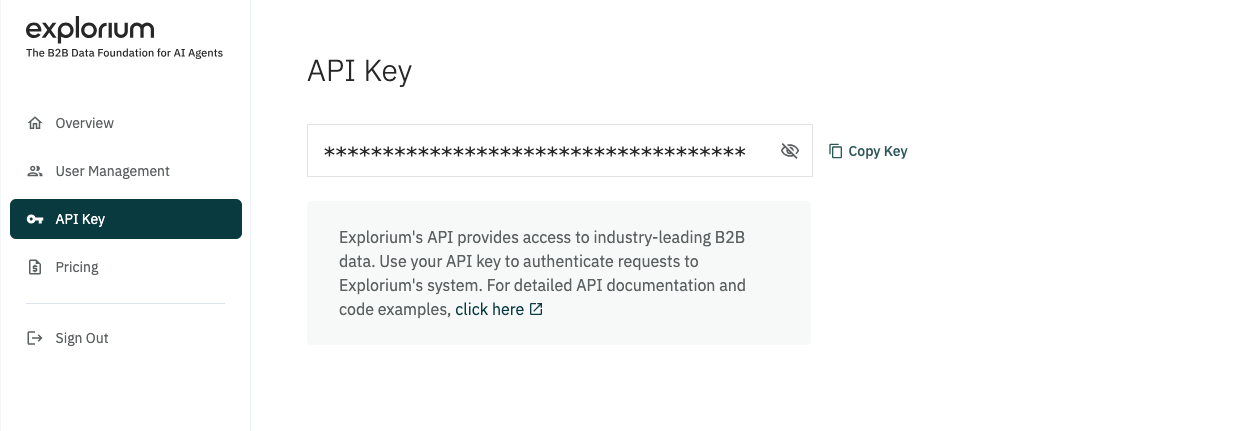
Step 2: View Your API Key
1
Your API Key will be displayed in a masked format.
2
Click the “Show Key” button to reveal it.
3
Use the Copy Key button to copy it securely.
Step 3: Store Your API Key Securely
- Save the API Key in a secure location (e.g., an environment variable, a secret manager, or a vault).
- Do not share it in public documents, emails, or repositories.
API Key Security Best Practices
Do:
Do:- Store keys securely using tools like AWS Secrets Manager, HashiCorp Vault, or environment variables.
- Restrict API key usage by defining permissions at the company level.
- Monitor API usage logs regularly to detect unusual activity.
- Rotate keys periodically if your security team enforces it.
Don’t:
Don’t:- Hardcode API keys in your application’s source code.
- Share your API Key in public repositories, documents, or chat tools.
- Use a single API Key in multiple external environments unless required.
Testing Your API Key
Once you have retrieved your key, you can test it with a simple API call:Example using cURL:
Bash
Example using Python:
Python
Troubleshooting API Key Issues
If you encounter issues with your API Key:- Invalid API Key error? Ensure the key is correct and hasn’t expired.
- Still facing issues? Contact support@explorium.ai for assistance.