

Overview
Auto-Refill Credits automatically replenishes your AgentSource credit balance when it runs low, so long-running API and agent workflows never stop mid-run because you ran out of credits. You set a threshold and a credit package once. From then on, whenever your remaining balance drops to that threshold, Explorium adds the selected package to your account automatically. You’re only charged when a refill is actually triggered, and you can disable it at any time.Auto-Refill is configured at the account level and applies to your AgentSource credit pool. It uses the payment method on file and the credit packages available on the Pricing page.
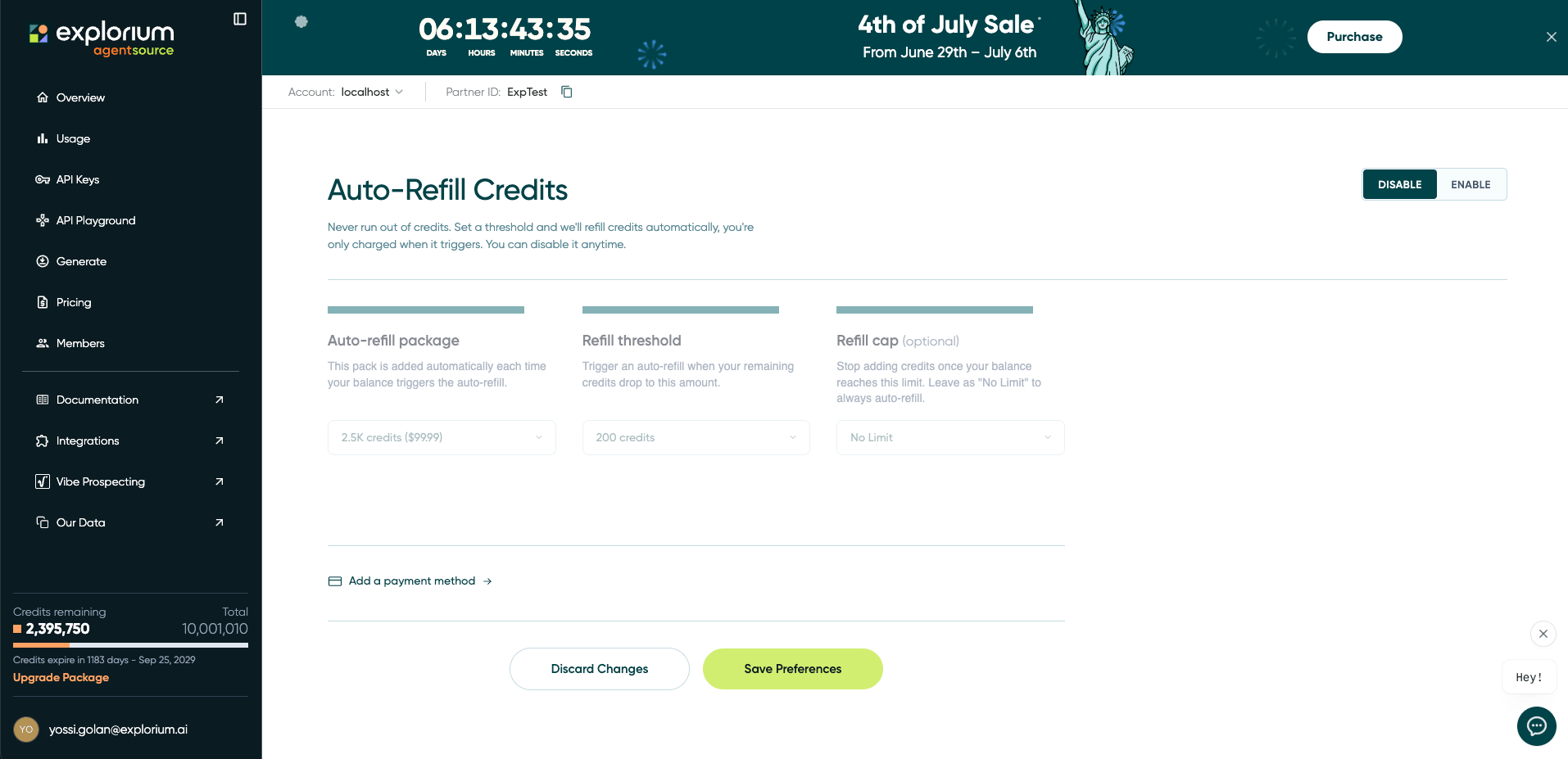
Auto-Refill Credits settings in the AgentSource console
How it works
Auto-Refill is controlled by three settings:
Example: with a Refill threshold of
200 credits and a 2.5K Auto-refill package, your account tops up by 2,500 credits every time your balance falls to 200 — keeping you above the line without any manual purchases. If you also set a Refill cap, refills stop once your balance reaches that cap.
Enabling Auto-Refill
1
Open Auto-Refill settings
Go to the Auto-Refill Credits page in the AgentSource console, or click Enable on the Auto-Refill banner at the bottom of the Pricing page.
2
Set the toggle to Enable
Switch the toggle in the top-right of the page from Disable to Enable.
3
Choose your auto-refill package
Select the credit pack that will be added on each refill.
4
Set your refill threshold
Choose the balance level that should trigger a refill.
5
(Optional) Set a refill cap
Set a maximum balance to stop refilling once reached, or leave it as No Limit.
6
Add a payment method
If you don’t already have one on file, use Add a payment method to add a card. A valid payment method is required for auto-refill to run.
7
Save your preferences
Click Save Preferences. Auto-Refill is now active. Use Discard Changes to revert any unsaved edits.
Disabling Auto-Refill
You can turn Auto-Refill off at any time. Open the Auto-Refill Credits page, set the toggle to Disable, and click Save Preferences. No further automatic charges will occur, and your existing balance is unaffected.Billing
You are charged only when an auto-refill is triggered — never on a fixed schedule. Each refill is billed to the payment method on file at the listed price of the selected package.
FAQ
When am I charged?
When am I charged?
Only when your balance drops to your refill threshold and a refill is triggered. There is no recurring or scheduled charge — you pay only for the packages that are actually added.
Can a refill trigger more than once?
Can a refill trigger more than once?
Yes. Each time your balance falls back down to the threshold, another refill is triggered (subject to your refill cap, if set), so heavy usage can result in multiple refills over time.
What happens when I reach my refill cap?
What happens when I reach my refill cap?
Auto-refills pause once your balance reaches the cap. Refills will only resume once you re-enable it in the settings page.
Does enabling Auto-Refill change my current balance?
Does enabling Auto-Refill change my current balance?
No. Turning Auto-Refill on does not add credits immediately — it only triggers a refill once your balance reaches the threshold you set.
Can I change my settings later?
Can I change my settings later?
Yes. You can update your package, threshold, or cap — or disable Auto-Refill entirely — at any time from the Auto-Refill Credits page. Remember to click Save Preferences.
Related
Credit Plans & Pricing
See the available credit packages you can use for Auto-Refill.
Tracking Your Credits
Monitor your remaining balance and consumption.